Solution
PulseFlow
Automated Lead Management System
Turns raw lead lists into a worked pipeline — distributed to the right reps, chased on schedule, and closed with payment in the same flow.
The problem it solves
Lead lists arrive as spreadsheets and die as spreadsheets. Nobody knows which rep owns which lead, whether a number has already been called, or which follow-ups are overdue — so the good leads get worked twice and the rest go cold.
PulseFlow gives every lead an owner, a state and a history. Reps work a queue instead of a file, managers see performance without asking for it, and the deal closes through the same system that captured it.
Capabilities
What it does
The parts of PulseFlow that do the work.
Import without the mess
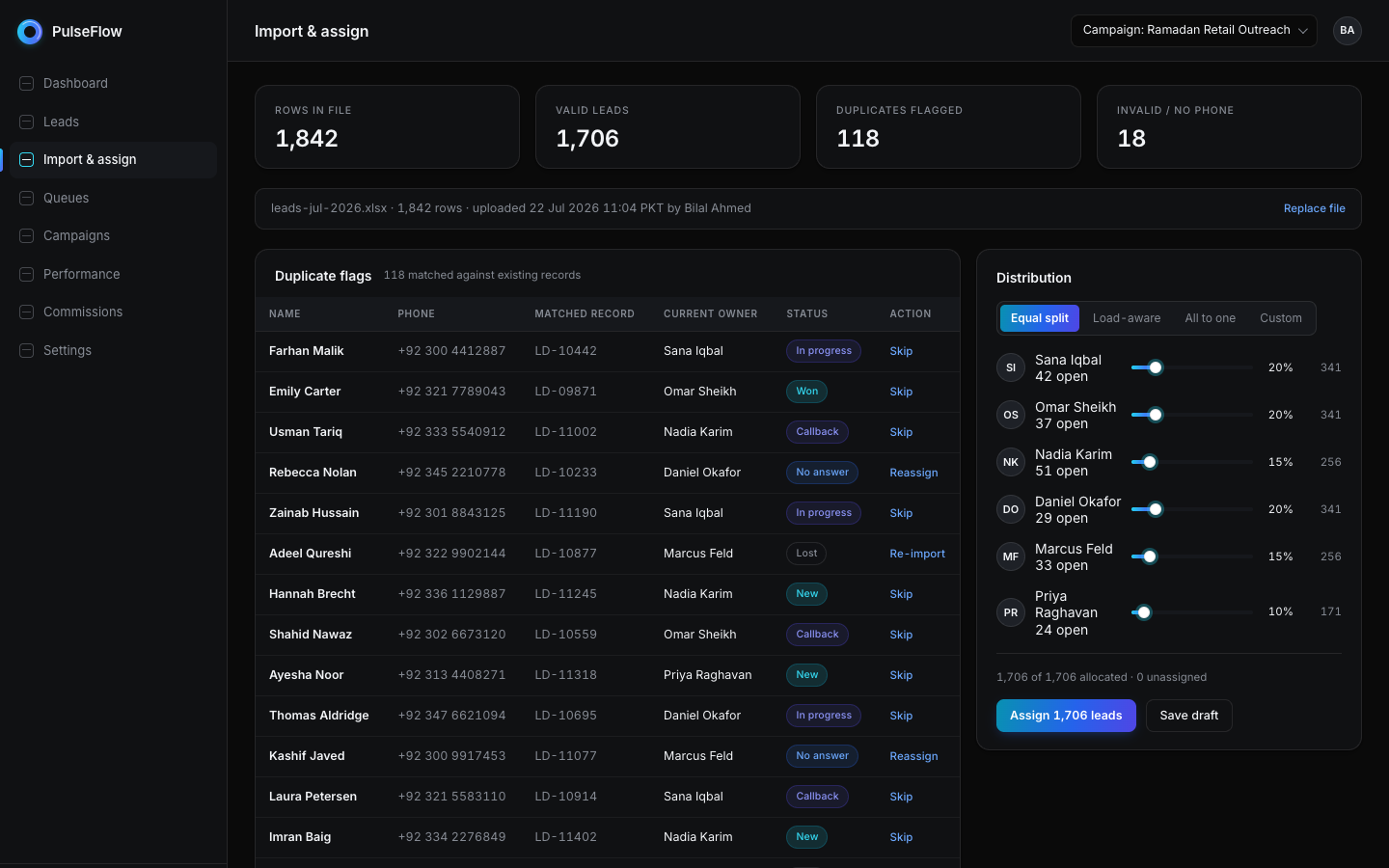
Upload lead lists straight from spreadsheets. Duplicates are detected against everything already in the system and surfaced with their current owner and status.
Distribution that fits the team
Split leads evenly, weight them by current workload, route them all to one rep, or define a custom split — whichever matches how the team actually works.
A queue, not a spreadsheet
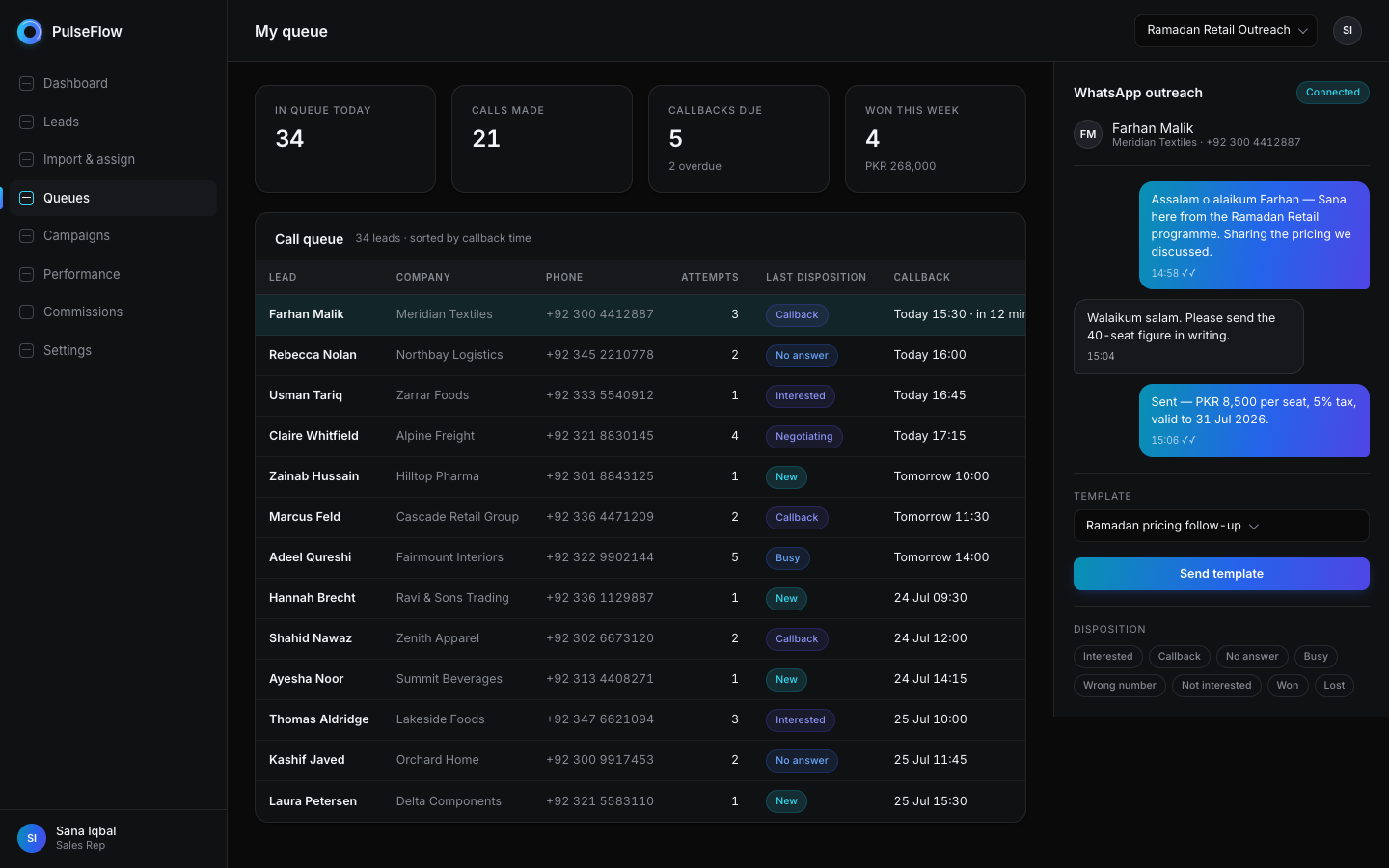
Reps work through a prioritised call queue with clear dispositions, attempt counts and scheduled callbacks, so nothing sits untouched.
WhatsApp outreach
Open a conversation with a templated first message tailored per campaign, with every send recorded on the lead's timeline.
Complete activity trail
Status changes, comments, calls, messages, reassignments and payments are all timestamped on the record — so a handover loses nothing.
Role-based workspaces
Reps, managers and administrators each get a workspace scoped to what they need, from a personal queue to full pipeline performance.
Earnings reps can see
Reps see their commission tier, what they have earned, what is still outstanding, and exactly how much more they need to reach the next tier.
Close in the same flow
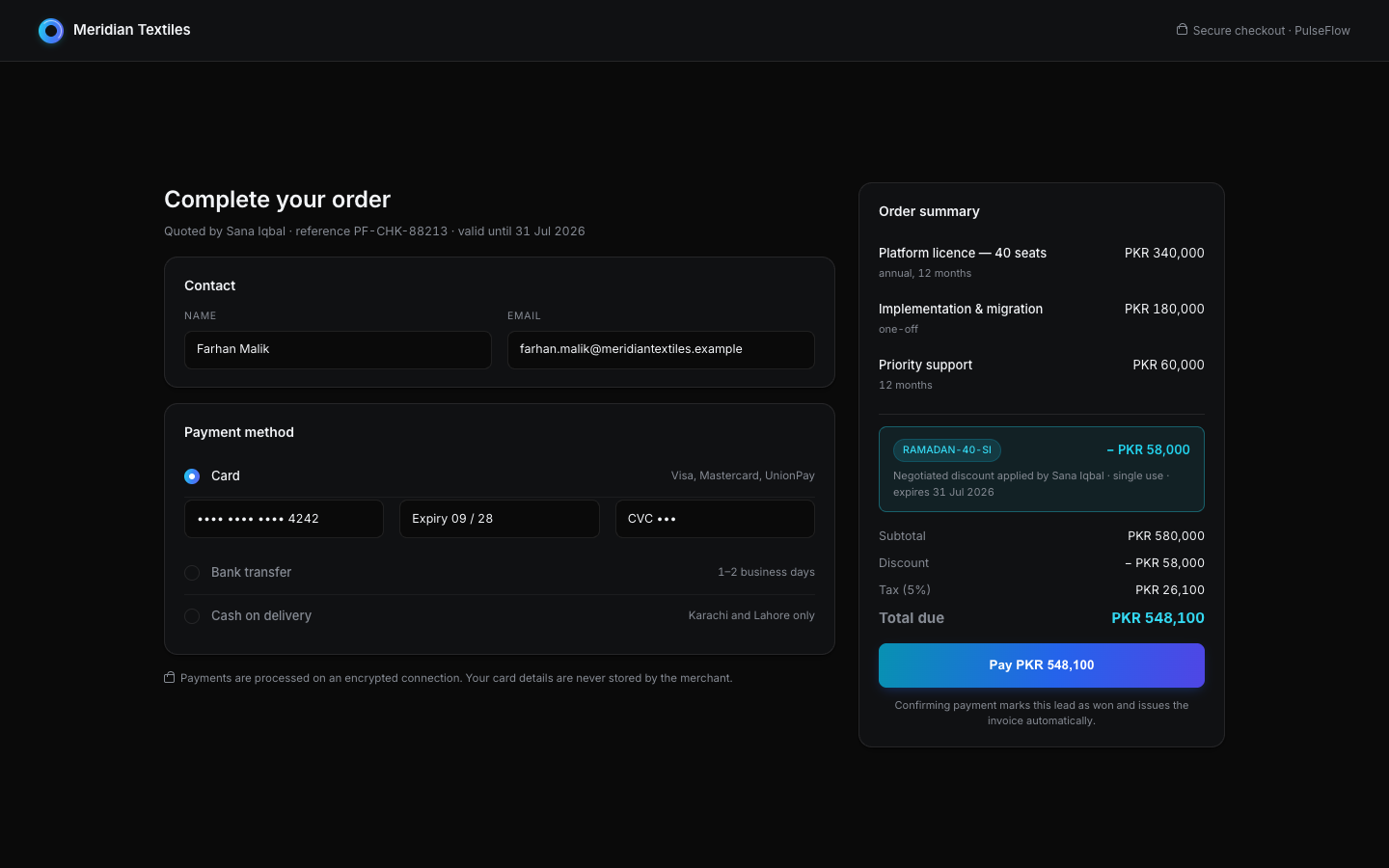
Generate a checkout for the agreed price, apply a single-use discount code where a deal was negotiated, and mark the lead won on confirmation.
A look inside
PulseFlow in use
How it works
From setup to running
- 01
Bring the leads in
Upload a list. Duplicates are flagged before anything is assigned, so the same person is never worked twice.
- 02
Distribute to the team
Choose a distribution rule and the leads land in the right queues, grouped by campaign.
- 03
Work the queue
Reps call, message and set follow-ups. Every action writes to the lead's history automatically.
- 04
Close and collect
Send the customer to checkout, confirm payment, and the outcome flows through to reporting and commission.
- Lead distribution strategies
- 4
- Role-based workspaces
- 3
- Pipeline states tracked
- 8
Questions
About PulseFlow
Does PulseFlow replace our CRM?
It owns the top of the funnel — list management, distribution, outreach and closing. If you already run a CRM for accounts and revenue, PulseFlow exports the won deal into it rather than duplicating what you have.
Can reps see each other's leads?
No. Reps see only their own queue and performance. Managers and administrators see the full pipeline, enforced at the data layer rather than in the interface alone.
More questions are answered on the FAQ page.
See PulseFlow on your own data
Tell us how your business runs today and we will show you what this looks like adapted to it.