Solution
GeoPulse
QR & Location Attendance System
Attendance you can trust — check-in verified by location and an on-site code, feeding clean monthly numbers straight into payroll.
The problem it solves
Attendance is either a paper register nobody trusts or a spreadsheet somebody edits after the fact. By the time it reaches payroll it has been retyped twice, and every disputed deduction turns into an argument without evidence.
GeoPulse verifies presence at the moment it happens and keeps an auditable record from that point on. Payroll reads the result directly, so the number in the payslip traces back to a verified check-in.
Capabilities
What it does
The parts of GeoPulse that do the work.
Verified at the door
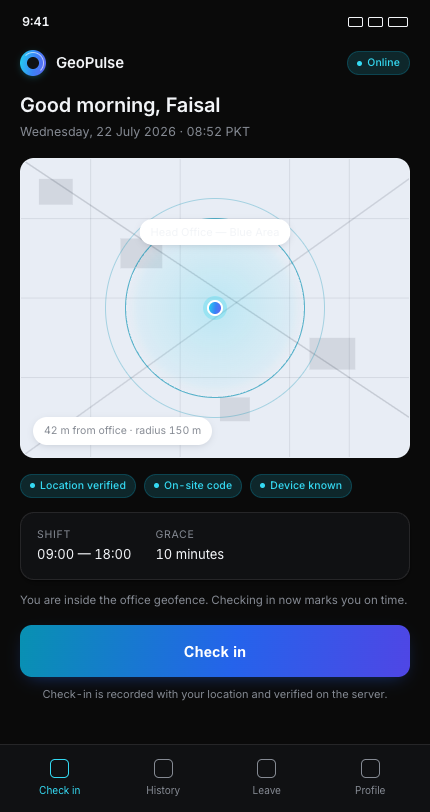
Check-in is validated against the office location on the server, and confirmed by scanning a code posted on site — two independent signals rather than a self-reported tap.
Rotating on-site code
The posted code is signed and can be rotated instantly, which invalidates every old copy — so a photographed code stops working immediately.
Grace rules that reflect policy
Separate visible and internal grace windows let you show staff a fair allowance while tracking a stricter figure for review.
Leave, remote work and holidays
Staff mark leave in advance, remote days count at a configurable fraction, and the holiday calendar is maintained in one place.
Nothing left open
Sessions left unclosed are settled automatically overnight and flagged for review, and no-shows are marked without anyone chasing them.
Reports with the evidence attached
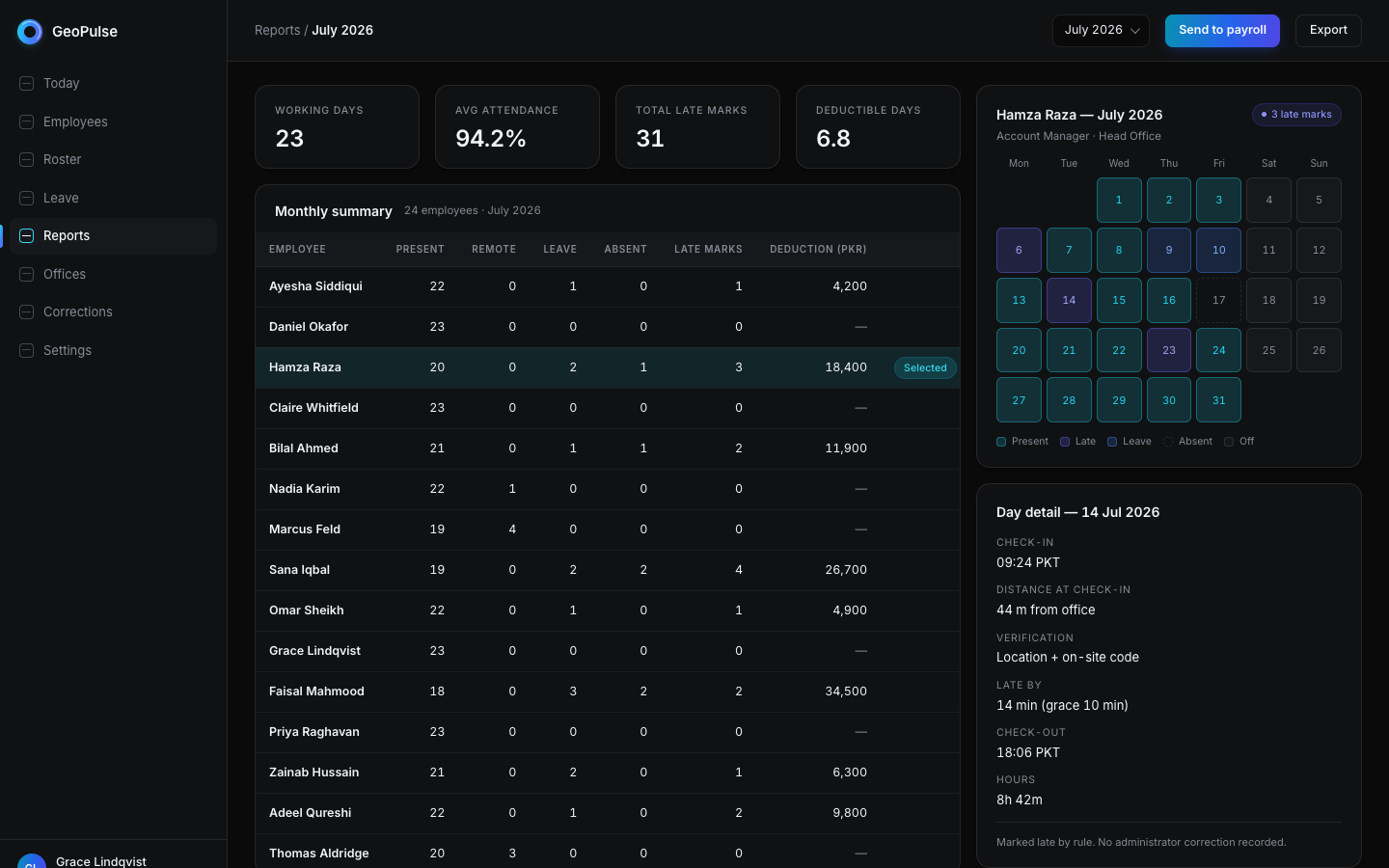
Monthly per-person totals drill down to individual days, including how far from the office the check-in was recorded.
Corrections that stay honest
Administrators can correct a day where genuinely needed, with a note recorded alongside the change.
Installs like an app
Staff install it to the home screen from the browser — no store, no distribution process, and it opens straight to check-in.
Feeds payroll directly
Monthly attendance facts export as an auditable deduction line, ready for whatever payroll you run — so nobody rekeys a register into a payroll sheet.
A look inside
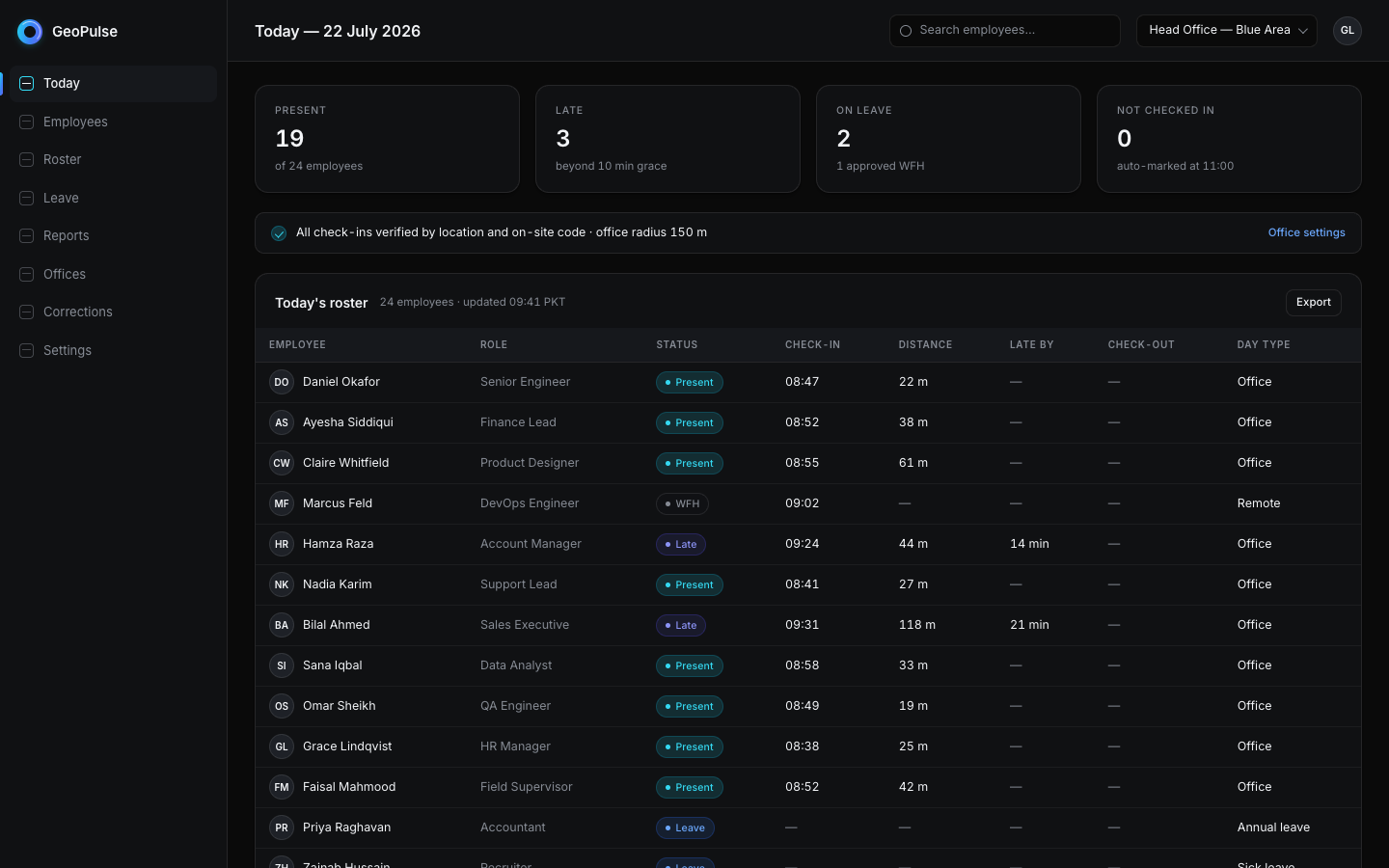
GeoPulse in use
How it works
From setup to running
- 01
Set the rules
Define office location and radius, working hours, grace windows, weekly off days and leave allowance.
- 02
Staff check in
Employees open the app, enter a PIN and check in — verified by location and the code posted on site.
- 03
The day closes itself
Late arrivals, early departures and unclosed sessions are handled by rule overnight rather than by hand.
- 04
Payroll picks it up
The month's verified totals pass straight to payroll, with every figure traceable to the day it came from.
- Independent verification signals
- 2
- Day types: office, remote, leave, absent
- 4
- Automated close and review flagging
- Daily
Questions
About GeoPulse
What if an employee's phone has no GPS?
Individual staff can be exempted from the location check while still using the on-site code, so older devices do not block anyone from clocking in.
Can staff check in from home?
Only if you allow it. Remote days are a distinct day type with their own configurable weighting, and the location radius is yours to set — including switching the check off entirely.
More questions are answered on the FAQ page.
See GeoPulse on your own data
Tell us how your business runs today and we will show you what this looks like adapted to it.